Every day on X, I see hooks about how AI is going to "kill" the production industry. It won’t. AI is a fantastic tool, but it replaces exactly one thing: the actual filming process. Storytelling, scriptwriting, directing, editing, and sound design remain 100% human. At Lava Media, having produced over 900 videos in 13 years, we know that without a "human-in-the-loop," AI content is just digital noise.
This breakdown of the Higgsfield "Action Contest" highlights the specific production gaps that separate viral brand assets from low-effort glitches.
Video Analysis #1: Physics & Spatial Logic
0:12 — Scrambled Elements: During a wire flip, the AI confuses the objects, creating a "pixel mess."
The Fix: If the AI can't handle complex physics, cut the flip. If it doesn’t serve the plot, it’s just visual noise.
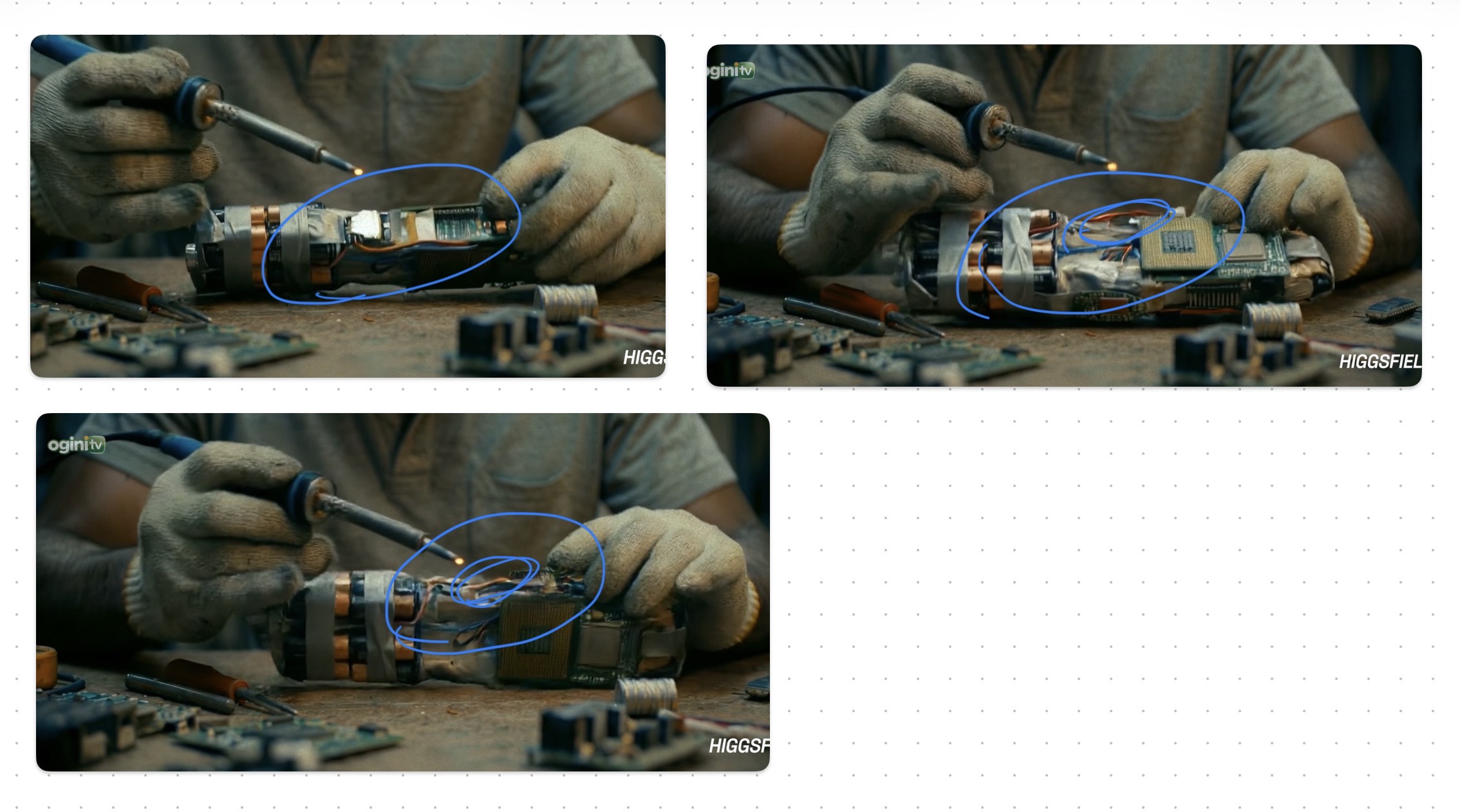
0:45 — The Morphing Bug: A welding tool suddenly materializes into a gun mid-frame.
The Fix: Use a separate shot. End the welding scene and cut to a new angle showing the finished weapon.
0:45 - 1:11 — Broken Spatial Consistency: Characters blow off a roof (top floor), fall through floors, but land back on the top floor.
The Fix: Plan your "world" shot-by-shot. AI doesn't understand 3D space automatically; you must direct the coordinates.
Video Analysis #2: Screen Direction & Continuity
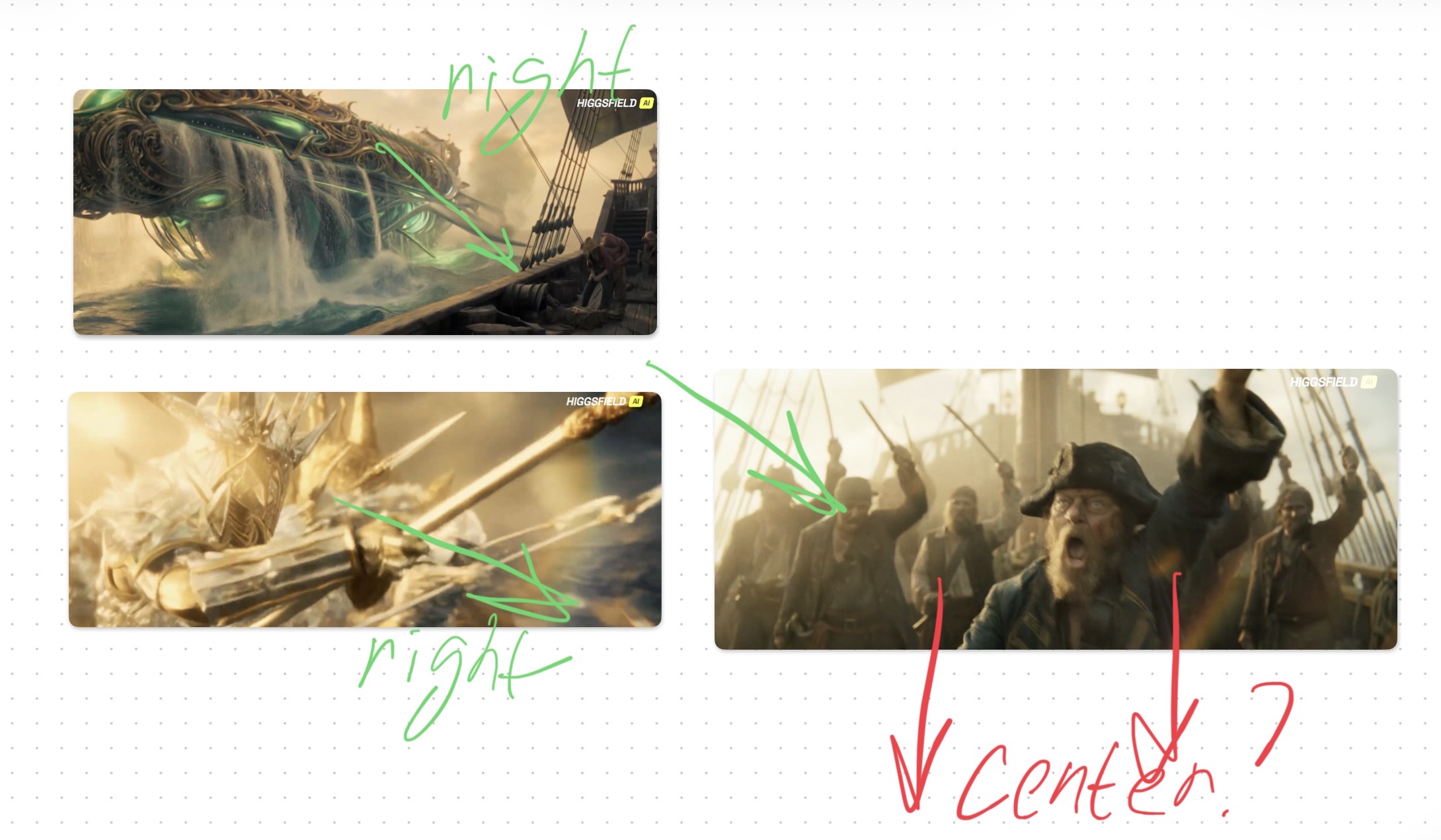
1:29 — Direction Logic: Ships are side-by-side, but the characters jump toward the front (bow) instead of the side.
The Fix: Follow traditional "180-degree" cinematography rules. Movement vectors must align across cuts.
1:46 — Texture "Melting": Fine details on the ship disappear during a fast camera pan.
The Fix: Trim long generations. AI details often "decay" during rapid motion. Keep your shots under 3-4 seconds.
2:44 — Armor Inconsistency: The character’s suit design changes completely between shots.
The Fix: If a scene is vital, it requires a full redo to ensure the "costume bible" is consistent.
Video Analysis #3: The "Pro" Framework (How to win)
This is a perfect example of high-end AI execution. The creator used Smart Shot Selection:
Strategy: Built the entire video on close-ups and wide shots with simple, monochrome backgrounds.
The Result: Because there is zero "visual clutter" for the AI to process, the frames are pixel-perfect with no artifacts.
Video Analysis #4: The Audio Trap
1:07 — The "Metallic" Voice: You can hear a tinny, robotic tint in the dialogue.
The Insight: This happens when creators generate video and audio simultaneously.
The Fix: Generate voiceovers separately. Use real voice actors or high-end AI speech tools with dedicated lip-syncing for emotional depth.
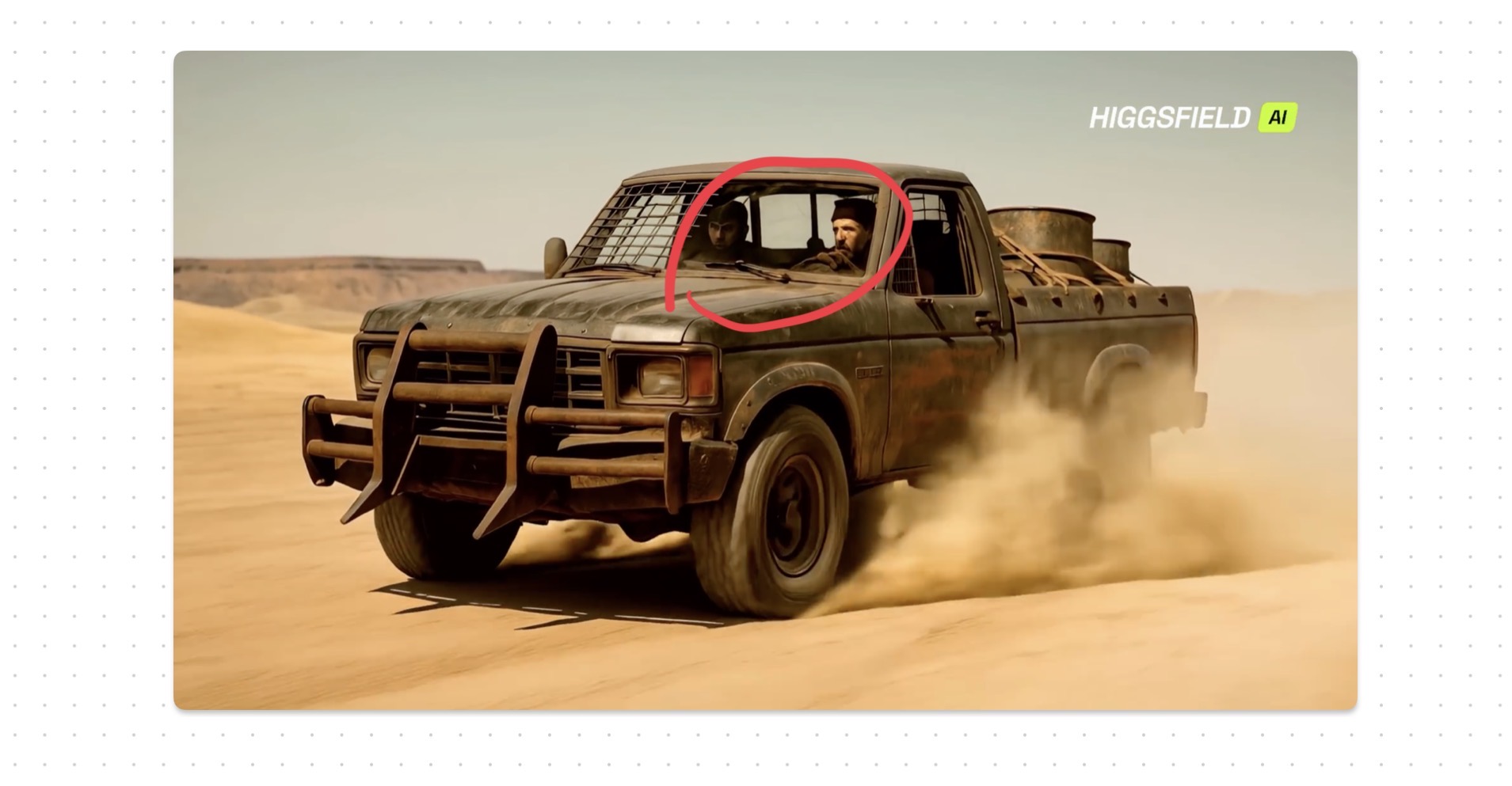
0:42 - The "Face" Trap - it requires a full redo
Video Analysis #5: Storytelling & Sound Design
Key Takeaway: A good story makes the brain "forgive" minor AI flaws.
Human Element: The sound design (SFX) and the pacing of the pauses are spot on. That’s not AI; that’s high-quality manual editing.
Video Analysis #6: The World-Building Disconnect
The Issue: The video jumps from a "Steampunk/Cyberpunk" vibe to a modern-day locker room with a generic hoodie.
The Lesson: You must plan your locations and characters in advance. If the environment doesn't match the costume, the brand identity is lost.
Final Verdict for Brands & Marketers
AI is just a new type of camera. To create a professional brand asset instead of digital trash, follow the Lava Media Framework:
Plan locations and characters before hitting generate.
Direct shots that actually "glue" together logically.
Refine every glitch manually in post-production.
Audio First: Use professional sound design and voice talent.